

A container that runs on a developer’s workstation is a useful starting point, but it is not proof that the same workload will run on every cloud GPU. The image packages user-space software. It does not package the physical accelerator, the host’s NVIDIA driver, storage performance, network topology, or every kernel capability.
Portable GPU workloads come from managing those boundaries deliberately. Docker can make an AI environment reproducible across machines, while careful compatibility checks keep CUDA, frameworks, drivers, and GPU architectures aligned.
What a Docker GPU cloud setup contains
A typical GPU container has several layers. The application code sits above Python or another runtime, framework packages such as PyTorch or TensorFlow, CUDA user-space libraries, and an operating-system base image. Model weights, datasets, and generated outputs may be mounted at runtime rather than baked into the image.
On the host, an NVIDIA driver communicates with the GPU. A container runtime and the NVIDIA Container Toolkit expose selected GPU devices and driver capabilities inside the container. The host driver remains outside the image. That division is the central portability contract.
It also explains a common failure: copying an environment with a newer CUDA requirement to a host whose driver cannot support it. The image may build correctly and still fail when the framework initializes CUDA. Portability requires a tested compatibility range.
Design the image for reproducibility
Start from a maintained base image that states its CUDA and operating-system versions. Pin application dependencies tightly enough that a rebuild does not silently pull a different framework, inference engine, or numerical library. A lock file, image digest, and recorded build command make an experiment far easier to reproduce than an informal list of packages.
Keep the image focused. Compilers and diagnostic tools are useful in a build stage, but many do not belong in the production runtime. A multi-stage build can copy only the required artifacts into the final image. This reduces image size, startup transfer time, and the number of packages that need security maintenance.
Several practices improve reliability:
- run the service as a non-root user where practical;
- keep API keys and cloud credentials out of image layers;
- label the image with its source revision and build date;
- pin the base image by digest for controlled releases;
- use a health check that exercises the actual model server;
- write caches, logs, and outputs to intentional paths.
Do not put large, frequently changing model weights into every application image unless fast, self-contained deployment justifies the size. Separating code from model artifacts lets teams update one without rebuilding and distributing the other.
Understand CUDA compatibility
CUDA has more than one version to consider. The host reports a driver version and a maximum supported CUDA level. The container supplies a CUDA runtime and libraries. The machine-learning framework may have been compiled for a particular CUDA release. Custom extensions add another compiled boundary.
Before moving a workload, record:
- the framework and framework build;
- container CUDA runtime version;
- required minimum NVIDIA driver;
- GPU compute capability requirements;
- versions of cuDNN, NCCL, TensorRT, or other linked libraries;
- architectures targeted by custom CUDA kernels.
New GPU generations can expose problems in old binaries that do not include code for the relevant compute capability. Conversely, an application built only for a recent architecture may not run on older GPUs. Rebuilding extensions with an intentional architecture list is safer than discovering the mismatch during a paid job.
NCCL and distributed frameworks deserve separate testing. A container can see several GPUs yet perform poorly because the expected network interface, shared memory allocation, peer-to-peer access, or interconnect is unavailable. Multi-GPU portability includes topology and launch configuration, not merely –gpus all.
Separate images, data, and state
Containers are easiest to move when runtime state is external. Store source in version control, publish immutable images to a registry, keep datasets and model checkpoints in durable object or block storage, and send logs and metrics to a system that survives instance termination.
This separation lets a worker retrieve a checkpoint, resume a job, and publish its result without relying on the previous machine’s local disk. It also makes interruptible capacity more practical.
Data movement can still dominate startup. A 100 GB model does not become portable merely because its server is containerized. Measure registry pull time, model download time, decompression, cache warming, and first-request compilation. Regional artifact mirrors or pre-populated volumes may matter more than shaving a minute from the Docker build.
Know where portability stops
A single image cannot normalize every GPU. Available VRAM still determines whether a model fits. Different tensor-core generations support different precisions and kernels. Consumer and data-center cards may differ in memory capacity, error-correction features, virtualization support, and sustained operating characteristics.
The surrounding machine matters too. CPU architecture, system RAM, disk throughput, open ports, kernel settings, and orchestration features can vary. A container designed for x86-64 will not automatically run on an Arm host. A service that assumes local NVMe may stall when its volume is network-backed.
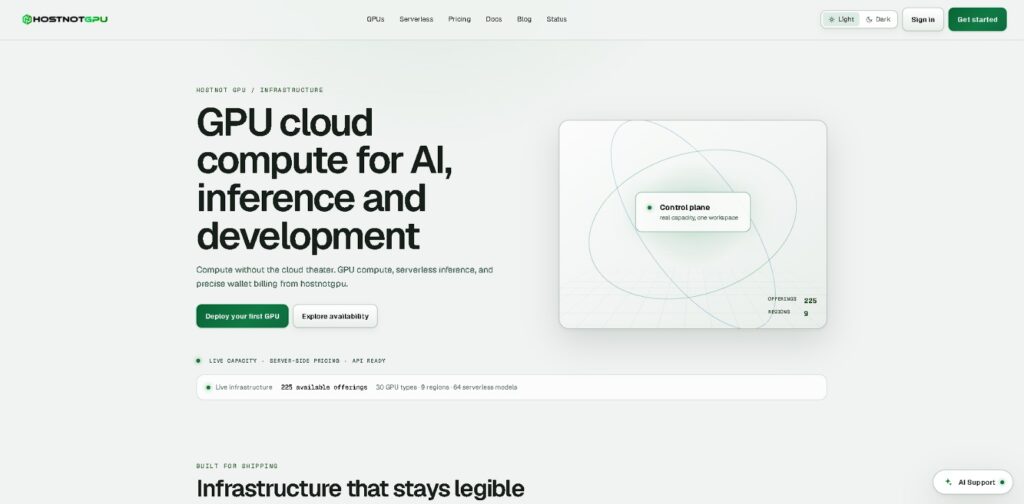
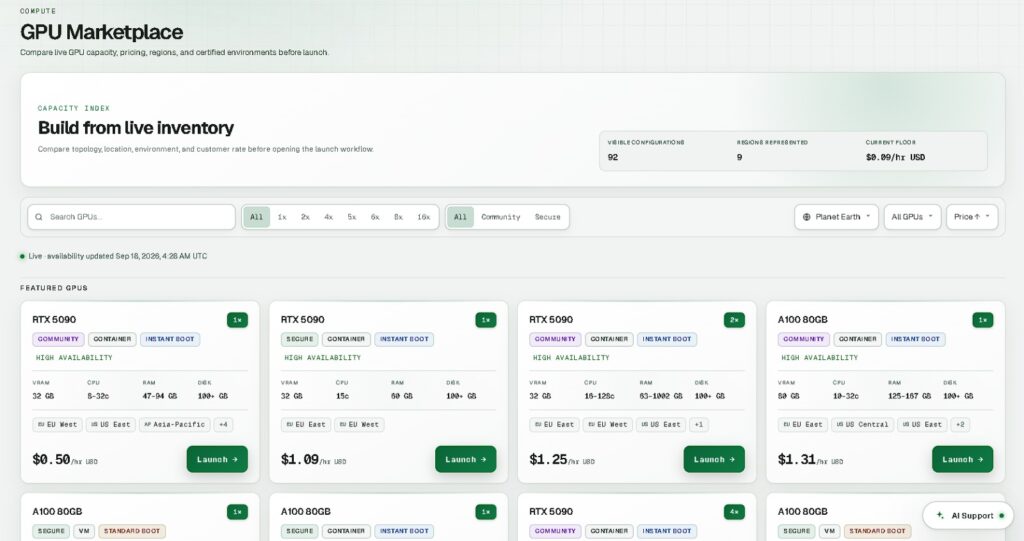
Cloud APIs and lifecycle semantics are also outside Docker’s scope. Provisioning, SSH access, budget controls, instance termination, and capacity errors remain provider-specific. On Hostnot GPU, developers can review the GPU Instances documentation at https://hostnotgpu.ae/docs/gpu-cloud and inspect current machine configurations before matching an image to available hardware.
A practical portability test matrix
Treat portability as a release property. Build the image once, then run the same immutable digest against a small matrix of intended GPU classes and environments. Begin with fast tests before spending money on full workloads.
First, verify device visibility with nvidia-smi and the framework’s CUDA check. Next, load the real model and execute a representative request or training step. Test mixed precision, custom kernels, checkpoint loading, and output persistence. For multi-GPU work, add collective communication and failure-recovery tests.
Capture peak VRAM, initialization time, throughput, errors, driver details, and the exact machine type. A passing result should correspond to an explicit support statement, such as a tested image digest on a named GPU family and driver range. Avoid claiming universal GPU support from one successful run.
Deployment automation should validate prerequisites before launching an expensive job. It can reject configurations with insufficient VRAM, check architecture and region, mount storage, inject secrets at runtime, and apply a timeout or shutdown rule. After completion, it should verify that artifacts were uploaded before terminating the instance.
Conclusion
A Docker GPU cloud workflow is portable when its boundaries are visible and tested. Containers make application code and user-space dependencies reproducible, while the host still supplies the driver, accelerator, topology, and much of the surrounding performance.
Build immutable images, document the CUDA contract, externalize important state, and test on every hardware class the team intends to support. With that discipline, moving an AI workload between local and cloud GPUs becomes a controlled deployment exercise rather than a late compatibility experiment.